Best Time to Post on Facebook for Contractors and Local Service Businesses
By the CredibleAI team ·
There is no single best time to post on Facebook for a contractor, and the studies disagree: Buffer's 2026 data says Thursday at 9 a.m., Sprout Social's says Tuesday and Wednesday, noon to 8 p.m. Check Meta Business Suite's Active times, test two slots for two weeks, and keep whichever brings messages.
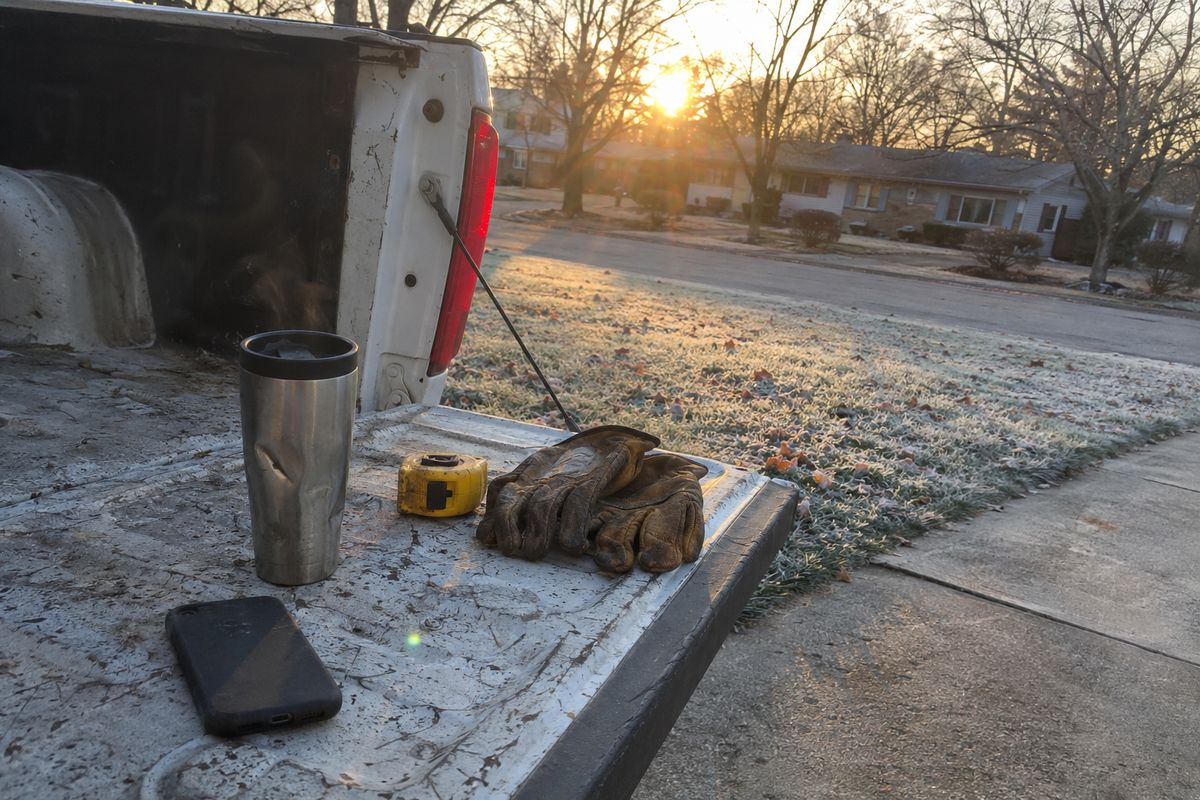
Fill every [bracket] in the captions below with your own job details before you post, and read the caption out loud once.
What is the best time to post on Facebook for a contractor?
Start on a weekday morning or early evening in your customers' time zone, then move to the times Meta recommends for your own Page, because we found no study that measured homeowners looking for a trade.
Buffer, Sprout Social and Hootsuite each publish a timing study. Here is what each says.
- [Buffer](https://buffer.com/resources/best-time-to-post-on-facebook/), 19 October 2026. Thursday at 9 a.m. is the best time and Wednesday is the best day. Noon to 5 p.m. is the weakest stretch, and Saturday is the weakest day.
- [Sprout Social](https://sproutsocial.com/insights/best-times-to-post-on-facebook/), 31 March 2026. Tuesdays and Wednesdays, noon to 8 p.m. local time. The worst hours are 4 to 7 a.m., and weekends come in lowest.
- Hootsuite, 19 November 2025. Tuesday at 5 a.m.
Hootsuite's best hour sits inside Sprout's worst window, and Buffer's weakest stretch overlaps Sprout's best one. So treat all three as background, and none of their hours as a rule. None of them has a home services group that we could find. The nearest is Hootsuite's "construction, mining, and manufacturing" group, which says Thursday from 10 a.m. to noon. That is mostly business buyers, not homeowners.
A homeowner with a slow kitchen drain or a stained ceiling probably looks at a phone before work or after dinner. That is a guess, not a measurement, and it is why we put a weekday morning or early evening first. Sprout's page, to its credit, also sends readers to their own Active times.
Where are Facebook Active times, and when are my followers online?
Meta shows recommended publication times under Active times when you schedule a post in Meta Business Suite, and Page Insights shows when your audience is on Facebook.
The scheduler is the quicker route. These steps follow Meta's help page on scheduling a Page post, checked on 17 November 2026.
- Switch to your Page.
- Open Meta Business Suite from the left menu.
- Select Create post and add the photo and caption.
- Next to Scheduling options, turn on Set date and time.
- Click Active times to see the recommended publication times, pick one, then select Schedule.
Meta lets you schedule a post between 20 minutes and 29 days ahead. Its page does not say how the recommended times are worked out.
The second route is Page Insights, from Meta's Page Insights help page, checked the same day.
- Log in to Facebook and click your profile photo in the top right.
- Click See all profiles and select your Page.
- Click Professional dashboard in the left menu. Meta is renaming it, so yours may say Business Dashboard or Creator Dashboard.
- Click Insights.
Demographic data in Page Insights appears only once Meta has data for 100 or more people, so a new Page may show little. Meta moves menus, so if yours looks different, look for the same words.
Is the best time to post on Facebook for local business pages different by trade?
Often yes, so start emergency trades and planned-project trades on different slots and let your own two-week test settle it.
Use this table as a first guess until your own Page gives you something better. It is our starting point, not survey data.
| Kind of work | Try first | Then check |
|---|---|---|
| Emergency repair (burst pipes, no heat, no cooling, water damage) | Early weekday morning, and the moment a weather warning lands | Which posts bring a call the same day |
| Seasonal service (tune-ups, gutter cleaning, sprinkler blowouts) | A weekday evening, a week or two before the season turns | Bookings that mention the post |
| Planned project (roof replacement, remodeling, windows, flooring, painting) | A weekday evening after dinner, plus one weekend morning | Messages asking for a quote or a visit |
| Outdoor work (landscaping, lawn care, concrete, decks) | Thursday or Friday evening, before weekend yard time | Messages that arrive on Saturday |
| Recurring service (house cleaning) | Midweek, before people plan the weekend | Messages asking for a regular day |
Here is one post for each row, with the slot it goes in.
- Emergency repair, the morning a freeze warning lands. Photograph a foam cover going onto an outdoor faucet, with the hose already off. Caption: "Hard freeze tonight in [town]. Unhook your hose, cover the outside faucet, and open the cabinet doors under the kitchen sink. Know where your main shutoff is. If a pipe bursts, shut the water off there and call [phone]. We pick up from [time]."
- Seasonal service, a weekday evening. Photograph the furnace with the front panel off and the old filter beside it. Caption: "First cold night is on the way in [town]. If your furnace has not run since [month], book a tune-up this week. We still have openings on [days]."
- Planned project, the day the job finishes. Photograph the finished work from where the homeowner will stand. Caption: "Wrapped up a [kitchen / roof / bathroom] in [neighborhood] this afternoon. [One detail of the work, such as the new drip edge or the tile at the range.] Thanks to the homeowners for having us." Ask the homeowner before you post, and leave the street address and house number out. Delete the thanks line if they would rather not be mentioned.
- Outdoor work, Thursday or Friday evening. Photograph a patio you finished or a bed you cleaned up that week. Caption: "Yard list getting long before the weekend. This [patio / fall cleanup] in [town] took [number] days. We are booking [patios / fall cleanups] for [month]. Send a photo of the space and we will tell you what it would take."
- Recurring service, midweek. Photograph a kitchen counter you just finished, wiped and clear. Caption: "Same crew, same day, every [other] [Thursday]. We have [number] weekly or every-other-week openings in [town]. Message us your address and we will hold one."
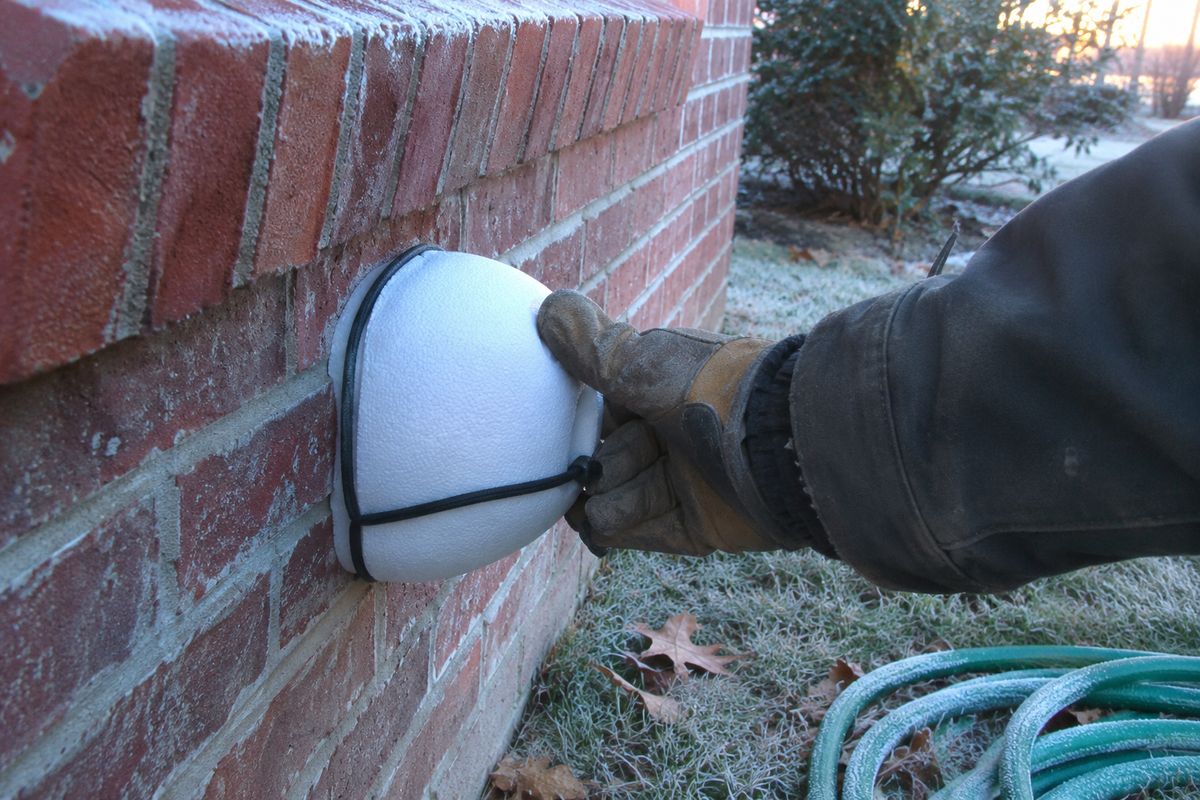
An emergency post goes out when the weather news breaks, whatever the table says. Don't hold a freeze or storm tip for a better slot. A planned-work post can wait for its evening. The pages on social media marketing for plumbers and HVAC social media marketing show more posts of both kinds.
What is the best day to post on Facebook, and do weekends work?
The studies name Tuesday to Thursday, but for a local Page the best day is the one Meta's recommended times and your own messages point to, and a job post is best on the day the job finishes.
Post the finished job the afternoon the crew leaves, while the work is still fresh and the homeowner can share it. On a roof, the neighbors saw the dumpster go that morning. Caption 3 above is written for that afternoon. The table in our roofing social media post ideas works the same way: the finished roof goes up the day the crew leaves.
Weekends are worth one test slot. Buffer ranks Saturday as the weakest day and Sprout ranks weekends lowest, but neither study looked at homeowners planning a patio on a Saturday morning. Outdoor trades are the obvious ones to try it, and social media for landscapers has posts that fit. Put one at Saturday breakfast for two weeks and see whether anyone writes back.

Does the time zone or the season change the best time?
Yes: Meta schedules in your current time zone, so set times for where your customers are, and look at Active times again when the season changes.
Meta's scheduling page says all times correspond to your current time zone. We read that as the zone you are in when you schedule, so check it whenever someone schedules for you from somewhere else. Three cases come up:
- The office manager works from another state. A post set for 7 a.m. on her laptop may not read 7 a.m. for your customers.
- Your service area crosses a time zone line. Pick the side where most of your jobs are.
- The clocks change. Open your scheduled posts the week after and check the hours still read the way you meant.
Seasons move things. In December it is dark when the crew gets home, and in June they may still be on a roof at 7 p.m., so the hour when someone can answer a message shifts. Open Active times at the start of each season and compare it with the slots you used last season.

What is the golden hour for Facebook posts?
We found no golden hour on Meta's own pages, and the useful part of the idea is being around to answer comments and messages in the first hour after a post goes out.
The claim that a post lives or dies in its first 60 to 90 minutes comes from marketing posts. What you can control is who is near a phone. If caption 4 draws "how much for a 12 by 16 patio" at 6:15 p.m., someone should answer before 7. Schedule for an hour when the office is staffed or you are out of the crawl space. The replies themselves are covered in how to turn Facebook comments and messages into roofing jobs, and they work for any trade.
Does the right hour matter more than posting every week?
No, a Page that posts real jobs every week at an ordinary hour beats a perfect hour you only hit once a month.
A homeowner who gets your name from a neighbor looks at your Page before calling. A panel swap from last Tuesday tells them you are working in town now. A last post from April tells them the opposite, and no posting time changes that.

How many posts a week is a separate question. Pick a number of days you can keep up through your busiest month, and hold it. If the weekly part is what keeps slipping, how to automate social media posts explains what to hand off and what to keep.
How do I find my own best time in two weeks?
Pick two slots, post the same kind of job post in each for two weeks, and keep the slot that brings more comments, messages and calls.
- Open Active times and note the two times Meta recommends nearest your posting days. Add the hours Page Insights shows your audience on Facebook.
- Schedule real job posts in two of those slots for two weeks. Keep the kind of post the same, so the time is the only thing that changes.
- Keep a tally on the office whiteboard: which post brought a message, a call or a comment from someone in your area. Leave likes off the board.
- Keep the winner, and test a new second slot next month.
Say a plumbing shop tests Tuesday at 7 a.m. against Wednesday at 7 p.m., with a finished water heater swap in each. After two weeks the tally shows which slot people wrote back to, and that slot stays.
What should I avoid when picking a posting time?
Avoid three things: judging a slot by likes, moving the time every week, and posting when nobody can answer.
- Don't judge a slot by likes. Your brother-in-law likes everything. Count messages, calls and comments from people in your service area.
- Don't change the time every week. Give a slot two weeks before you judge it.
- Don't post when nobody can answer. A "how much?" at 10 p.m. that sits until noon gives the homeowner time to message someone else.
Can CredibleAI post at the times I pick?
Yes, CredibleAI posts on the days and times you pick, one to seven days a week, each day with its own time. It makes Facebook and Instagram posts from your own job photos for those slots, and you approve each regular post or press Make my week to schedule the next seven days in one press. Any post can still be edited, moved or removed before it goes out, so when your two-week test names a winner you move the time on the CredibleAI Planner. It costs $199 a month after a 7-day free trial, up to 7 posts, and social media automation for contractors shows how the week gets filled.
Posting time FAQ: what else do contractors ask?
Five short answers follow, on Instagram, what Meta charges to schedule, a blank Active times, late-night posts and who sees a post.
What is the best time to post on Instagram for contractors?
The best time to post on Instagram for contractors is found the same way, from your own followers. Instagram's insights show the times your followers are most active once you have at least 100 of them. If you would like one post to cover both, see how to automatically post from Facebook to Instagram.
Does Meta charge to schedule Facebook posts?
Meta's help page for scheduling a Facebook Page post lists no charge. It lets you set a post to publish between 20 minutes and 29 days ahead, and Meta Business Suite's Planner shows the week or the month on a calendar. From there you can edit a post, reschedule it or move it back to drafts.
Why does Active times show almost nothing on my Page?
Active times can show little on a small or new Page, and Meta does not say how it is worked out. Its help page does say demographic data in Page Insights waits until there is data for 100 or more people. Use the table above as your first guess, keep posting every week, and look again in a month or two.
Is it bad to post late at night?
Posting late at night breaks no Meta rule that we could find, but it is a poor slot for a trade business. Nobody in the office is there to answer a question about price or timing. Schedule the post for the next morning, when someone can reply within the hour.
Does Facebook show my post only to people online at that moment?
No, Facebook does not show your post only to people online at that moment. Meta's explanation of Feed says it gathers posts from the Pages a person follows and ranks them for that person. It lists no rule that a post is shown only at the moment it goes up, so a post can still be seen after it goes out.